
Diese Seite ist leider nicht auf Deutsch verfügbar.
LaunchBar
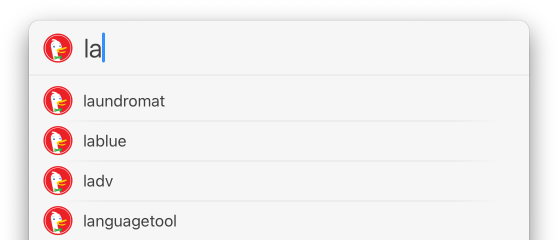
LaunchBar is an award winning productivity utility that provides instant access to your applications, documents, contacts and bookmarks, to your iTunes library, to search engines and more, just by entering short abbreviations of the searched item's name.

What's new in LaunchBar 4.3

Instant Open
Calculator
Instant Open is a powerful, new technique to open items via LaunchBar even more quickly. You no longer have to press the Return key - you just hold down the last entered abbreviation character and the selected item opens immediately. The built-in Calculator allows you to quickly perform numeric calculations. Just press Command-Space, type your calculation and hit Return. Or even faster, select a few numbers in a document and use Instant Calculate to get their sum calculated with a single keystroke!

Instant Send
Text Items
Instant Send is an extremely efficient way to send files or text selections to LaunchBar, and optionally hand them over to other items such as applications, email contacts or search templates. Text Items can hold arbitrary plain text selections, ready to be sent to search templates, AppleScripts, email contacts and more. Use them together with Instant Send to perform powerful multi-stage operations!

Much improved iTunes support
  • Display of star ratings
  • Faster playback scripts
  • More playback options
  • Show in iTunes
iTunes

Other New Features and Improvements

  • Much improved Address Book support
  • Improved Web Browser support (Firefox History, Camino History)
  • Multiple selection items
  • Append Text
  • Text File Content Browsing
  • Fast User Switching
  • Cyberduck support
  • iTerm support
  • Lots of new built-in AppleScripts
  • Extended list of factory search templates
  • URL commands via x-launchbar URL scheme
  • More versatile options for opening items
  • Show in Google Maps
  • New browsing features
  • Assign Abbreviation command for assigning custom abbreviations
  • Better performance
  • And much, much more…

See the Release Notes for a detailed listing of all changes.

Watch the Macworld Video!

Awards and Testimonials

“If I could have only one Mac utility … it would be Objective Development’s LaunchBar.”
Jason Snell, August 2007
Mac Gems: LaunchBar 4.3.2

“If you think Spotlight made such utilities obsolete, think again.”
Eddy Winner of the Macworld 2005 Editors' Choice Awards

December 2005
LaunchBar 4

Pricing

  • Free, built-in evaluation license, sufficient for occasional use
  • Home User License $19.95
  • Family License $29.95
  • Business License $39
  • Upgrades from LaunchBar 3 starting at $9.95
See the order page for details.